
Essential Tips Every Video Editor Must Know
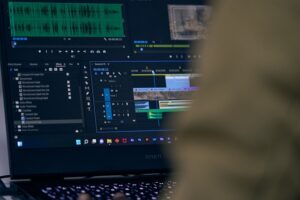
Video editing is a powerful craft that transforms raw footage into compelling stories. As a video editor, mastering certain skills and techniques can make your work not only more efficient but also more impactful. Whether you’re just starting out or looking to hone your craft, here are some essential tips every video editor should know.
1. Understand Your Software
Your editing software is your primary tool, so it’s crucial to know it inside and out. Whether you’re using Adobe Premiere Pro, Final Cut Pro, DaVinci Resolve, or any other software, take the time to explore its features thoroughly.
- Explore Tutorials and Courses: Online platforms like YouTube, Udemy, and LinkedIn Learning offer a plethora of tutorials ranging from beginner to advanced levels.
- Practice Regularly: Hands-on experience is the best way to learn. Experiment with different tools and features to understand their capabilities.
2. Keep Your Files Organized
A well-organized project can save you a significant amount of time and frustration.
- Create a Structured Folder System: Organize your media, project files, and assets in a logical folder structure. For example, create separate folders for
raw footage, audio, graphics, and exports. - Use Consistent Naming Conventions: Name your files descriptively and consistently to easily locate them later. Avoid generic names like “clip1” or “final_version.”
3. Master the Art of Storytelling
Video editing is more than just cutting and splicing clips; it’s about telling a story.
- Plan Your Edits: Before diving into editing, have a clear vision of the story you want to tell. This can involve creating a storyboard or a rough outline of your sequence.
- Pace and Rhythm: Pay attention to the pacing of your edits. Too fast can be jarring; too slow can be boring. Strive for a rhythm that keeps your audience engaged.
4. Pay Attention to Audio
Good audio can elevate a video, while poor audio can ruin it.
- Use Quality Sound Effects and Music: Choose sound effects and music that complement your visuals and enhance the storytelling.
- Balance Audio Levels: Ensure your dialogue, background music, and sound effects are balanced. Avoid overpowering music or inaudible dialogue.
- Learn about impact of music in video editing.
5. Color Correction and Grading
Color correction and grading are essential for achieving a polished, professional look.
- Learn Basic Color Correction: Adjust the white balance, contrast, and saturation to ensure your footage looks natural and consistent.
- Experiment with Color Grading: Use color grading to create a specific mood or aesthetic. Tools like LUTs (Look-Up Tables) can help ach
ieve a cinematic look.
6. Utilize Keyboard Shortcuts
Keyboard shortcuts can significantly speed up your editing process.
- Learn the Essentials: Familiarize yourself with the most commonly used shortcuts in your editing software. This can include commands for cutting, pasting, and navigating the timeline.
- Customize Your Shortcuts: Many editing programs allow you to customize shortcuts. Tailor them to fit your workflow and save time.
7. Stay Updated with Industry Trends
The field of video editing is constantly evolving, with new techniques and technologies emerging regularly.
- Follow Industry Leaders: Keep up with blogs, YouTube channels, and social media accounts of influential editors and filmmakers.
- Participate in Online Communities: Join forums, Facebook groups, and Reddit communities where you can share tips, ask questions, and stay informed about the latest trends.
Regularly backing up your projects is crucial to avoid losing hours of hard work.
- Use External Drives: Store copies of your projects on external hard drives or SSDs.
- Cloud Storage: Consider using cloud storage solutions like Google Drive, Dropbox, or OneDrive for additional redundancy.
Becoming a skilled video editor requires a blend of technical know-how, creative flair, and continuous learning. By mastering your software, keeping your projects organized, focusing on storytelling, paying attention to audio, perfecting color correction, using keyboard shortcuts, staying updated with industry trends, and backing up your work, you’ll be well on your way to creating compelling and professional video content. Keep practicing, stay curious, and never stop learning.